ELECTRONIC LOCK
MONOCHROME Roblox Code: Keypad Entry Guide
Find the run-specific four-digit keypad clue in MONOCHROME Roblox, enter it at the elevator, fix rejected inputs, and avoid fake universal codes.
Overview
The MONOCHROME Roblox code is a run-specific four-digit sequence required to clear the electronic lock on the main elevator. You will find the digits written on a slip or pale block hidden somewhere in the downstairs corridor maze, and you must record them exactly as they appear in your current session. Enter the numbers in order at the wall-mounted keypad beside the elevator, using no spaces or extra inputs. Because the game generates a new clue each time you start, previously published numbers will not work. If the panel rejects your entry, verify the source clue, stand close enough for the interaction prompt, and re-enter the digits slowly while confirming that all four mechanical key indicators are already green. Finally, note that this puzzle code is entirely separate from Roblox developer products: the current build contains no traditional promo-code redemption menu, so any search for a "MONOCHROME Roblox code" should focus exclusively on the in-level keypad sequence.
What the Keypad Code Controls in the Escape Sequence
The official objective for MONOCHROME requires two distinct components to complete the escape: four physical keys and one electronic code. The elevator that leads out of the abandoned facility uses a dual-lock system. The four mechanical deadbolts must be manually inserted and turned, while the electronic keypad operates independently to disengage the power lock. Entering the correct four-digit sequence clears the electronic lock, but it does not replace or bypass any of the four key requirements. Even with a successfully accepted keypad entry, the elevator remains completely inactive until every key indicator on the panel turns green. This separation means players cannot skip the maze or ignore the deadbolts; the code simply removes one layer of the exit restriction while the mechanical locks handle the other.
The game’s early development status and escape-room classification mean the environment is designed around deliberate pacing and environmental scanning. The official description notes that players wake in a sealed room, navigate a corridor network, and are observed by an unspecified presence, which reinforces the need to treat every interactive object as part of a coordinated sequence rather than a standalone puzzle. The keypad is intentionally placed in the elevator lobby to serve as a checkpoint, confirming that you have gathered the necessary environmental clue before attempting to leave the facility.
Locating the Four-Digit Clue in the Maze
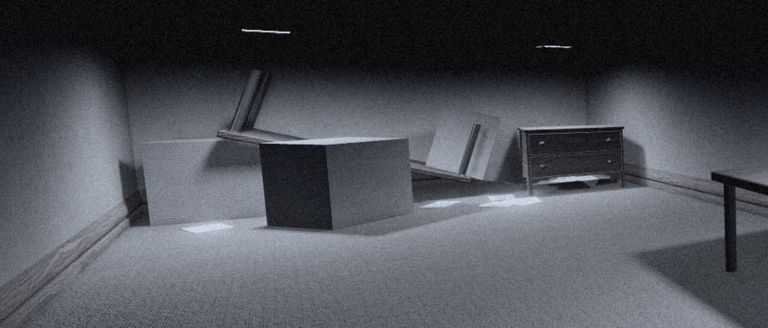
The four-digit clue is not delivered through dialogue, inventory items, or on-screen prompts. Instead, it is physically placed within the downstairs maze. Reviewers consistently report finding the number displayed on a small slip of paper or etched onto a pale block somewhere along the corridor network. Because the placement varies slightly between sessions, players should conduct a systematic sweep of the lower level, paying close attention to wall junctions, dead-end alcoves, and structural debris that breaks the visual monotony of the maze.
When you locate the clue, record the digits immediately. The game does not provide a notepad or in-game text log, so relying on memory increases the risk of transposition errors later. The clue is static for the duration of your session, meaning it will not change, disappear, or refresh until you restart the experience. Once noted, backtrack to the elevator lobby. The maze does not lock you out of previously visited areas, so returning to the keypad is a straightforward process as long as you maintain your path.
Run-Specific Behavior and the Correct Entry Sequence
The keypad code changes every time you launch a new session. Independent walkthroughs have documented multiple observed values, including 0333 and 5343, but these are strictly examples of what players saw during specific runs. Because the generation rule and full range of possible values are not documented by the developer, no single number can be treated as a universal solution. Copying a code from an older guide or a different player’s stream will result in a rejected entry.
To enter the code correctly, approach the wall-mounted panel beside the elevator and wait for the interaction prompt to appear. Input the four digits in the exact order they were displayed on the slip or pale block. Do not add spaces, pause between numbers, or press extra buttons. The interface registers the sequence as a continuous string, and stray inputs will trigger a failure state. Once accepted, the electronic lock disengages, but remember that this does not activate the elevator. You must still locate and insert all four keys to turn their respective indicators green. Only when both conditions are met—the electronic lock cleared and all four mechanical locks satisfied—will the elevator become operational.
Diagnosing and Fixing Failed Keypad Attempts
If the keypad rejects your entry, the issue almost always stems from one of three factors: incorrect digits, improper input timing, or unmet mechanical lock requirements. Start by returning to the maze and re-reading the source clue. It is easy to misread a faded digit or confuse similar numbers under low lighting, so verify each character before leaving the area.
When re-entering, stand directly in front of the panel to ensure the interaction prompt registers properly. Some players attempt to input the code from a distance, which can cause the game to ignore keystrokes or register them out of order. Enter the digits slowly and deliberately. Rushing through the sequence increases the chance of accidental extra inputs, which the panel interprets as an invalid string. Finally, check the four key indicators on the elevator control panel. If any of them remain unlit or gray, the elevator will not respond regardless of how many times you clear the electronic lock. The keypad and the deadbolts function as parallel requirements, not sequential steps.
The Difference Between Puzzle Codes and Roblox Promo Codes
Players searching for a MONOCHROME Roblox code often expect a traditional developer product redemption menu, similar to games that offer free cosmetics, currency, or early-access perks through platform-wide promo codes. The current build of MONOCHROME does not include this system. There is no settings menu, developer console, or in-game terminal where you can paste external codes for rewards. The only code relevant to progression is the four-digit keypad sequence required to disable the elevator’s electronic lock.
This distinction matters because Roblox experiences frequently blend puzzle mechanics with promotional campaigns, leading to confusion when a game’s core loop revolves around a numeric sequence. MONOCHROME treats the keypad code purely as an environmental puzzle element tied to the escape objective. Future updates could introduce a separate redemption system or expand the code mechanic, but as of the reviewed build, all progression hinges on locating the in-maze clue, entering it correctly, and solving the four key deadbolts. Focus your efforts on the corridor network and the elevator panel, and you will complete the escape sequence without needing external codes or third-party generators.
Keep the page honest
Use the version scope, source status, and verification date above when you quote this guide. If the game UI or source changes, update the claim before expanding the recommendation.
Sources to check