EXIT RECORD
MONOCHROME Roblox Ending: How to Trigger the Escape Sequence
Step-by-step guide to the current MONOCHROME Roblox ending. Learn the exact lock conditions, elevator trigger, completion screen, and why the exit might fail.
Overview
The current build of MONOCHROME on Roblox concludes through a single verified escape sequence that activates the lobby elevator. To reach the ending, you must satisfy two separate lock conditions: insert all four keys into the main lock panel until every indicator turns green, and enter the run-specific four-digit clue into the electronic keypad. Once both mechanical and electronic requirements are met, an "Open Elevator" interaction prompt appears. Stepping inside and allowing the doors to close triggers the visible completion sequence, which displays a black screen thanking you for playing and noting that Part Two is in development.
How the Current Ending Triggers
The escape route operates on a dual-verification system that separates mechanical and electronic progress. According to reviewed walkthroughs, the mechanical side of the elevator relies on the four key indicators located on the lobby lock panel. You must locate and insert each key during your session. The system only registers as complete when all four indicators display a solid green state. A single dark or unlit indicator will keep the mechanical lock engaged, regardless of your progress elsewhere in the level.
The electronic side functions independently of the key panel. Each session generates a unique four-digit numerical clue hidden somewhere in the environment. You must locate this number and input it into the designated keypad. The keypad must explicitly accept the digits before the system considers the electronic condition satisfied. Neither condition bypasses the other; both must be cleared simultaneously to progress.
When the four key indicators are green and the keypad registers the correct code, the game spawns the "Open Elevator" interaction prompt near the doors. This prompt only appears after the dual-verification system confirms both locks are disengaged. Activating it prepares the elevator for the final sequence. Players should watch for the prompt to actually materialize on screen before attempting to interact, as standing too far back or angling incorrectly can cause the game to ignore the input.
The Visible Completion Sequence
Once you interact with the prompt and step inside the elevator, the doors will automatically close. This action initiates the visible completion sequence recorded in current gameplay footage. The transition cuts to a black completion screen that displays a message thanking the player for completing the escape. The screen also explicitly references that Part Two of the experience is currently in development.
This visual sequence is the only documented ending route in the reviewed walkthroughs. The message aligns with the official Roblox game description, which independently states that Part Two is in progress. The current build does not display additional cutscenes, alternate outcomes, or branching narrative paths upon exiting via the elevator. The sequence functions as a direct confirmation that the dual-lock requirement has been satisfied and the session has concluded.
Why the Elevator Might Not Open
Players frequently report the elevator remaining locked or the interaction prompt failing to appear. Independent troubleshooting guides attribute this to four specific failure states. First, a dark or unlit key indicator on the lock panel means one or more keys were missed, incorrectly inserted, or not properly registered by the game. Second, entering an incorrect or misread run-specific number will cause the keypad to reject the input, leaving the electronic lock active. Third, attempting to bypass either the mechanical key panel or the electronic keypad will prevent the system from recognizing completion. Fourth, standing too far from the elevator doors or misaligning your character can cause the "Open Elevator" prompt to fail to register, even if both locks are clear.
To resolve these issues, verify that all four key indicators are consistently green, double-check the four-digit clue against your current run’s environment, and ensure you are positioned directly in front of the elevator doors when attempting to interact. If the prompt still does not appear, leave the elevator area and reapproach it, as proximity checks in the current build can occasionally fail if the player is moving at speed.
Part Two Context and Future Content
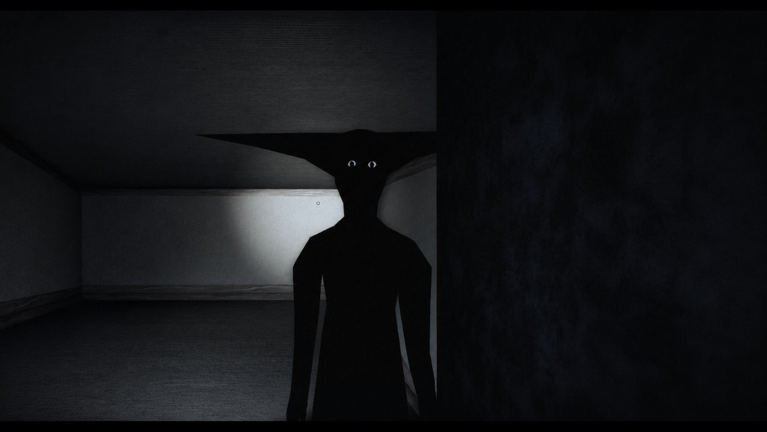
The completion screen’s reference to Part Two is corroborated by the official Roblox game page, which confirms that additional content is in development. However, no official source currently explains the narrative purpose of the building, the identity or behavior of the creature encountered during the escape, or the broader story implications of the current ending. The visual sequence and thank-you message remain purely functional markers of completion rather than detailed narrative conclusions.
Because the developers have not released a roadmap, release window, or content breakdown for Part Two, any speculation regarding its story direction, new mechanics, or timeline remains unverified. The current build stands as a self-contained escape experience with a clear mechanical goal and a documented exit sequence. Players should treat the Part Two mention as a confirmed development status rather than a promise of immediate updates or specific content features.
What Isn't Confirmed Yet
Community discussions occasionally mention secret endings, hidden branches, or alternate completion routes. The available walkthroughs and official documentation only support one recorded escape sequence. There is no verified evidence of multiple endings, hidden triggers, or narrative variations in the current build. Claims regarding secret outcomes or permanent ending counts should be treated as unsupported until official updates or documented gameplay confirms them. The game’s progression system currently focuses on the four-key and four-digit code requirement as the sole path to the elevator and the visible completion screen.
Keep the page honest
Use the version scope, source status, and verification date above when you quote this guide. If the game UI or source changes, update the claim before expanding the recommendation.
Sources to check